Keep the words that stay with you.
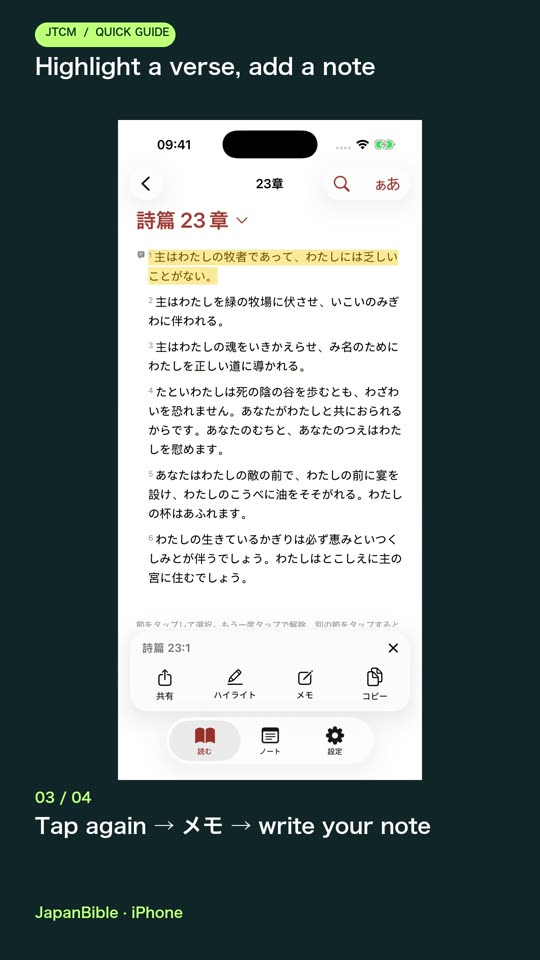
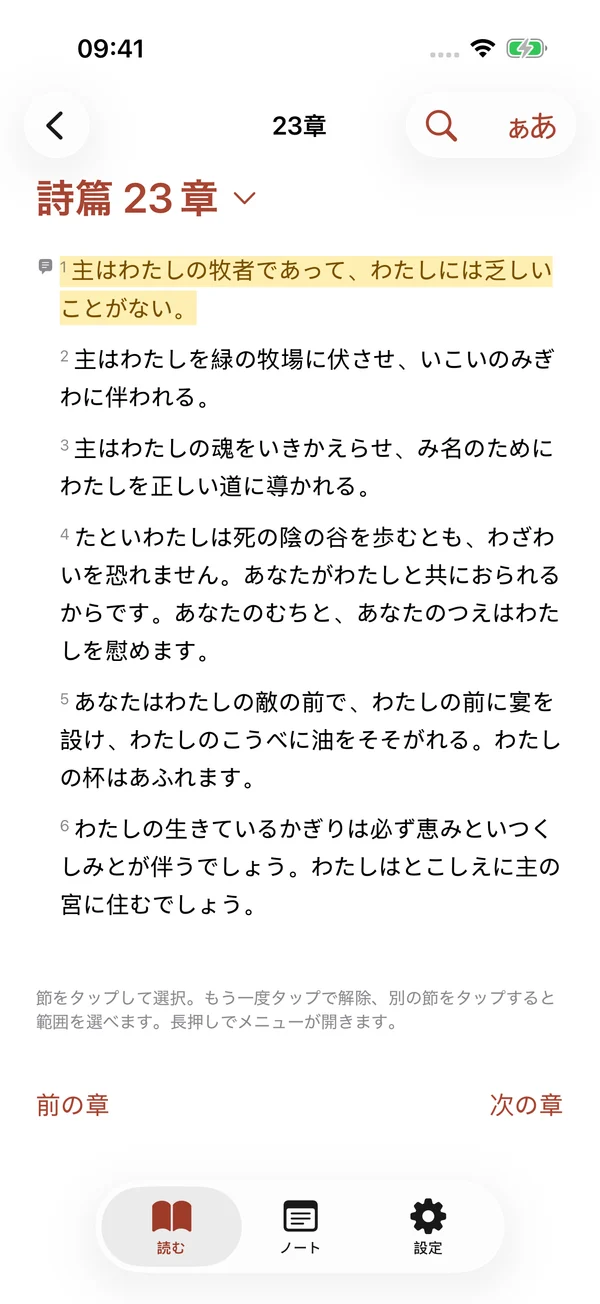
Highlight a verse and leave a note. Return to your thoughts whenever you open your Bible.
Watch the walkthrough → JapanBible.net
JapanBible.net · iPhone & iPad
A Japanese Bible for everyday reading and deeper study. Read offline, keep the passages that matter, and explore the original words—all on your iPhone or iPad.
Download on the App Store ↗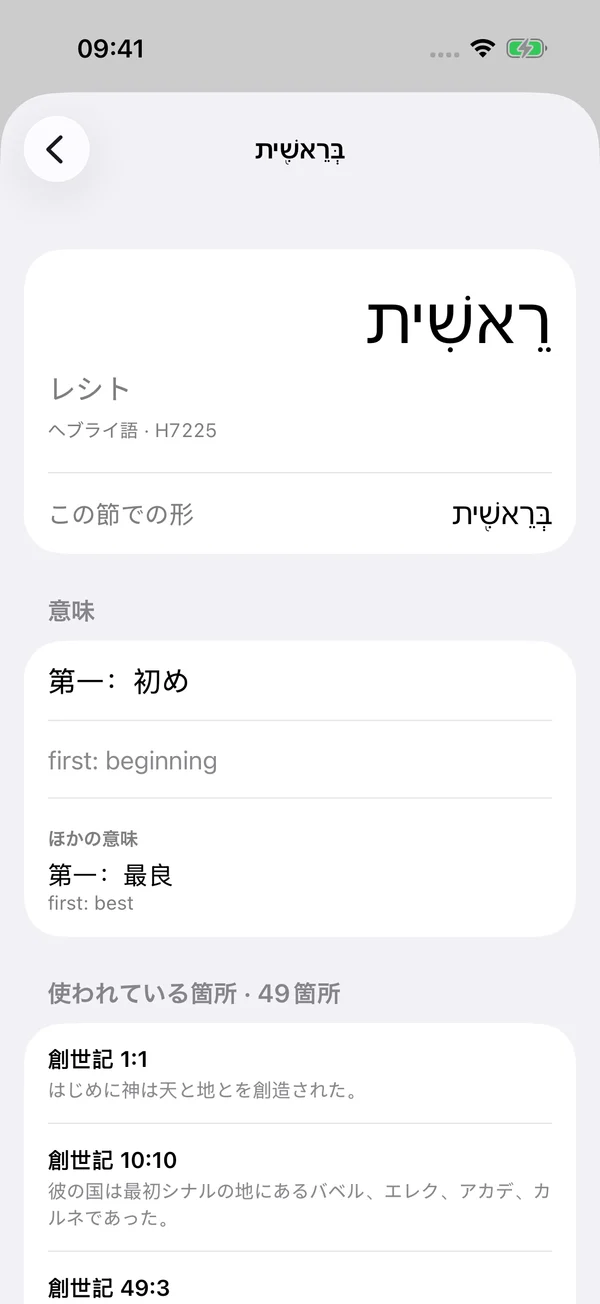
Highlight a verse and leave a note. Return to your thoughts whenever you open your Bible.
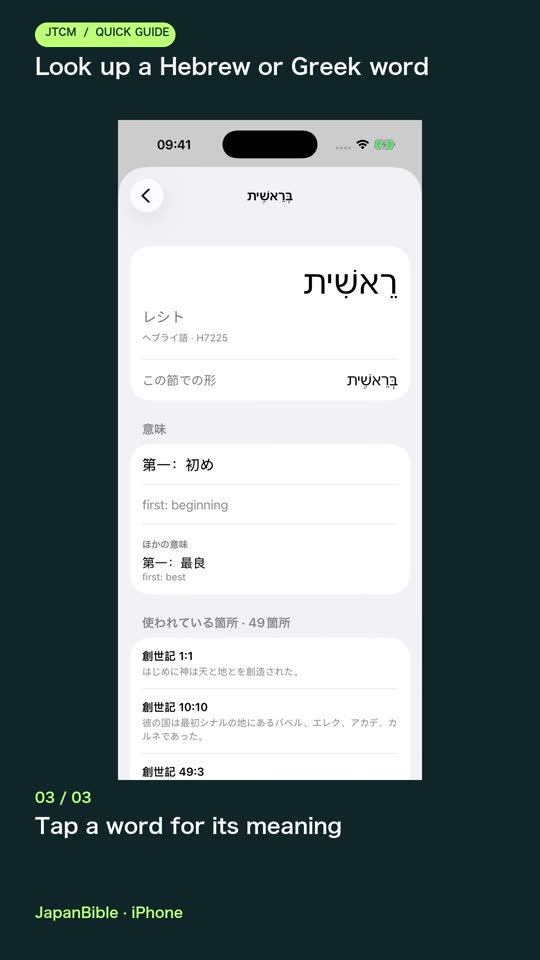
Watch the walkthrough →Open a Hebrew or Greek word, read its short definition and discover where else it appears.
Watch the walkthrough →Available now · 1.0
Read all 66 books in Kougo and Nichijo First Edition. The texts are included in the app, so reading and search work without an account or internet connection.
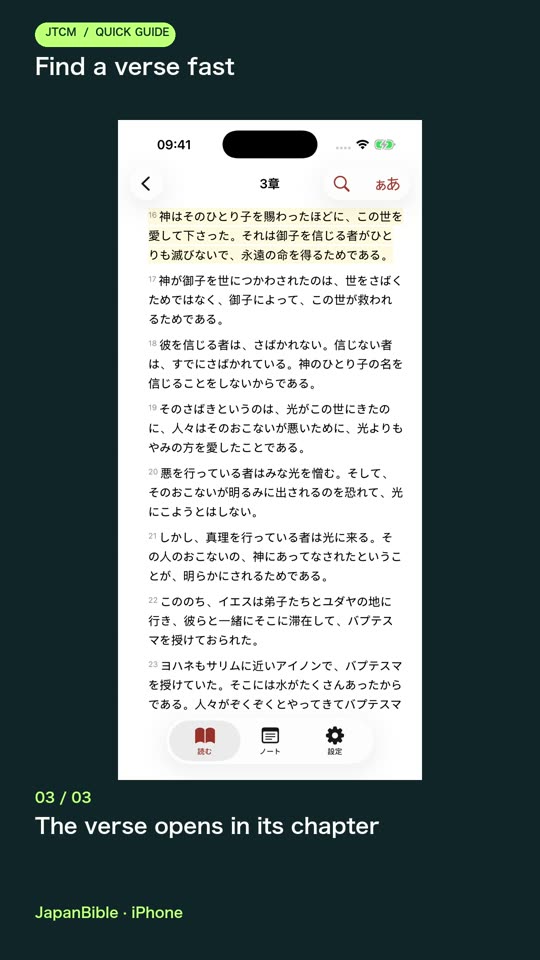
Browse books, chapters and verses, enter a Japanese or English reference, or search Japanese phrases. Filter search results by testament or book and see matches in context.
Resume your reading position, revisit recent passages and swipe between chapters, even across book boundaries. Jump to a verse without losing the flow of the chapter.
Turn furigana on or off. Adjust text size, line spacing, Gothic or Mincho type, and light, dark, high-contrast or warm-paper reading settings.
Show the World English Bible alongside the Japanese text. The reading interface and Japanese editions remain in Japanese.
Display aligned Hebrew, Aramaic and Greek text alongside the Japanese. Read right-to-left source text in its own direction and open an original-language verse for a closer look.
Mark verses in five colours and write memos that save as you type. Your annotations stay on the device without requiring sign-in.
Gather saved passages, highlights and memos in one place. Filter by type, search memo text, sort by date or Bible order, and return straight to a passage.
Sign in with Apple or Google to sync saved highlights and memos between devices. Reading stays available without an account; synchronization needs internet.
Open a Hebrew or Greek word to see its reading, a short meaning and the other verses where it occurs. Japanese glosses are machine-generated and labelled unreviewed; English meanings remain visible.
Select a verse or passage to copy its text or link, open the iOS share sheet, or save and share a verse image with its reference.
Read source and license information inside the app. Nichijo First Edition is a technology-assisted translation that has not yet been reviewed by human subject-matter experts; its furigana is generated automatically.
Short English tutorials walk through real tasks on the current public app. English captions are included.
Beyond this release
Version 1.1 is being tested in TestFlight. These features are not included in the public 1.0 download. Release timing has not been announced.
In TestFlight · not yet public
A dedicated study screen, Japanese and English vocabulary lookups, compact bilingual definitions and related original-language words. Generated definitions remain labelled unreviewed.
In TestFlight · not yet public
Full-screen notebooks, handwriting, quick memos, inline verse memos, word-level and drag highlighting, plus fixed-page scripture markup and ink previews.
In TestFlight · not yet public
Add meaningful stamps or emoji to verses, link passages with one another, and open person cards with family relationships and relevant verses.
In TestFlight · not yet public
Three-column Japanese, English and original-text reading on iPad, words of Jesus in red, pinch-to-zoom reading and customizable verse-card layouts, colours and typography.
Planned · no release date
Japanese Bible narration is planned, starting with Kougo. Audio is not included in the current public app, and no release date has been announced.
Feature status checked October 6, 2026.
Suggest a feature →Yes. The Japanese texts, English parallel and original-language resources are bundled for offline reading and study. Account synchronization needs a connection.
The App Store download is version 1.0. Everything in “Available now” describes that release. The TestFlight and planned features are listed separately below it.
Free on iPhone and iPad. Requires iOS / iPadOS 15+.
Download on the App Store ↗