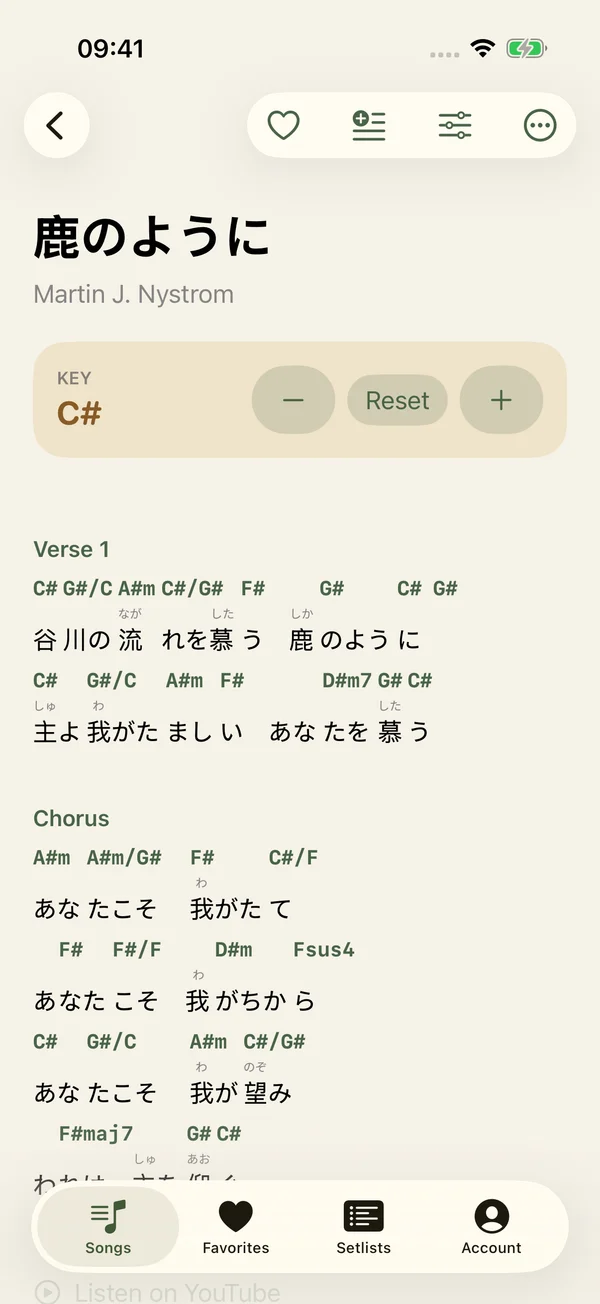
Find a key that feels right.
One tap moves the whole chart. Spend less time rewriting chords and more time making music together.
Watch the walkthrough → JPraise
JPraise · iPhone & iPad
Find Japanese worship songs, choose the right keys, and bring your whole set to the music stand. JPraise brings preparation and leading together on iPhone and iPad.
Download on the App Store ↗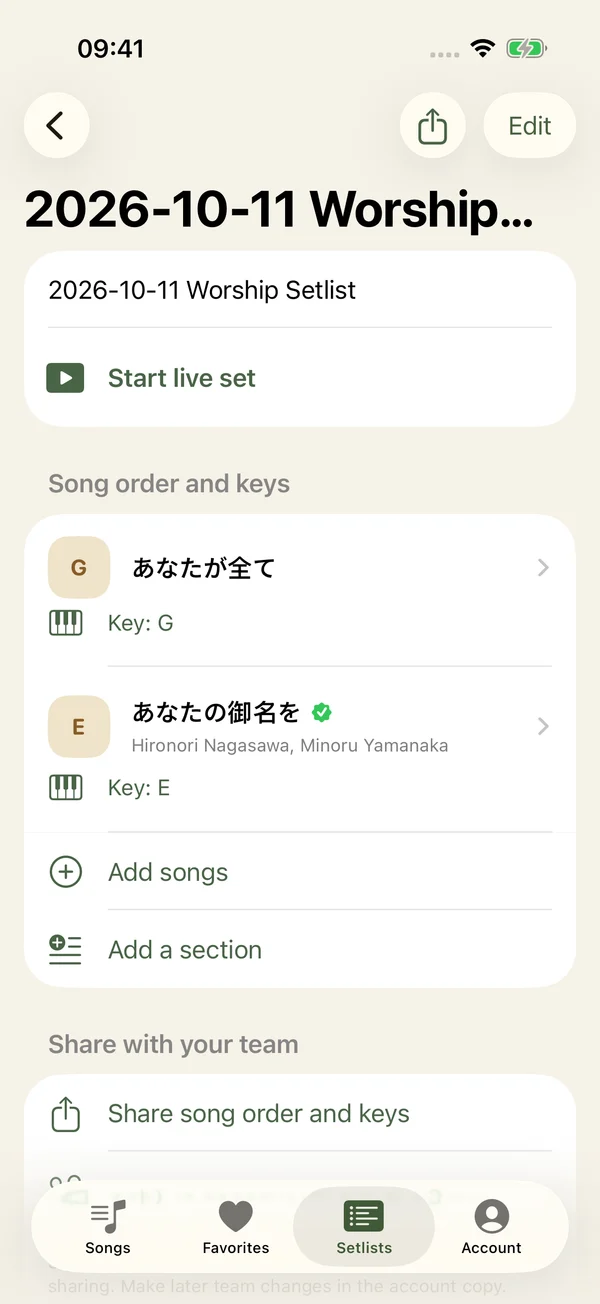
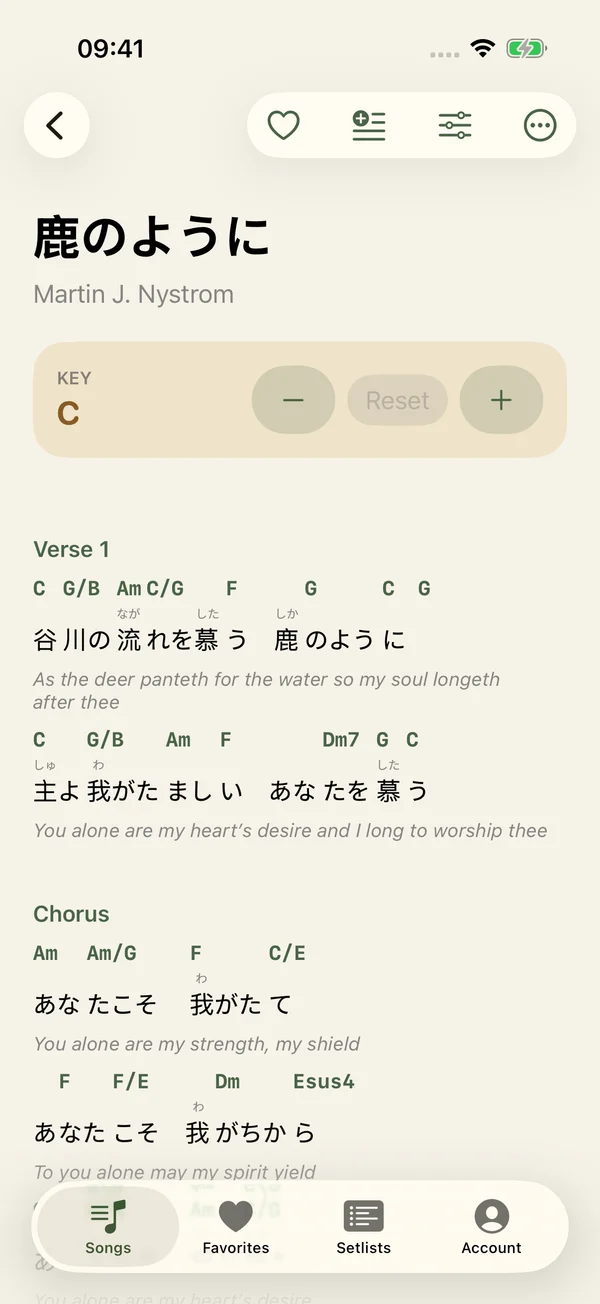
One tap moves the whole chart. Spend less time rewriting chords and more time making music together.
Watch the walkthrough →Prepare the order, choose the keys and share your set. Everyone knows what comes next.
Watch the walkthrough →Available now · 1.0.0
Search titles, readings, artists, romaji and English lyrics. Browse by kana row, or sort by kana, artist or your most-viewed songs.
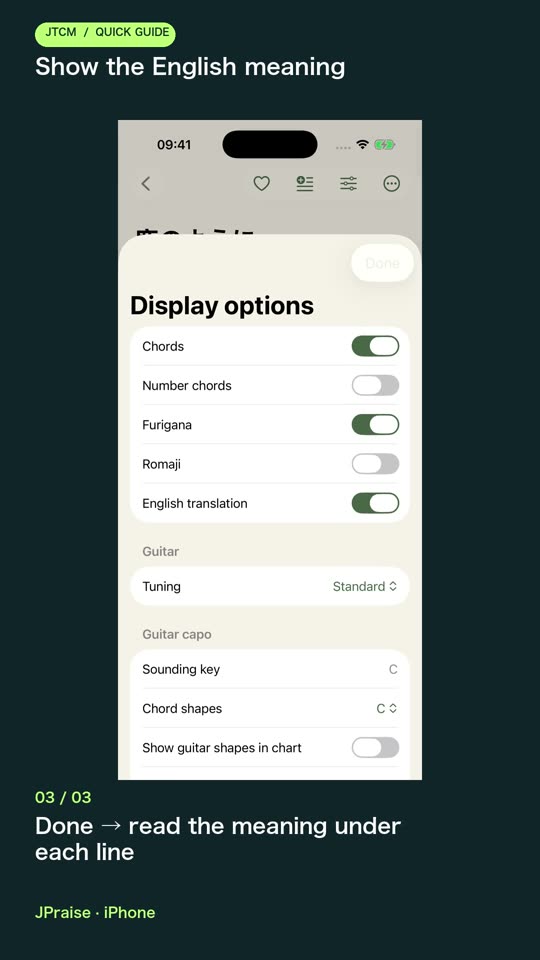
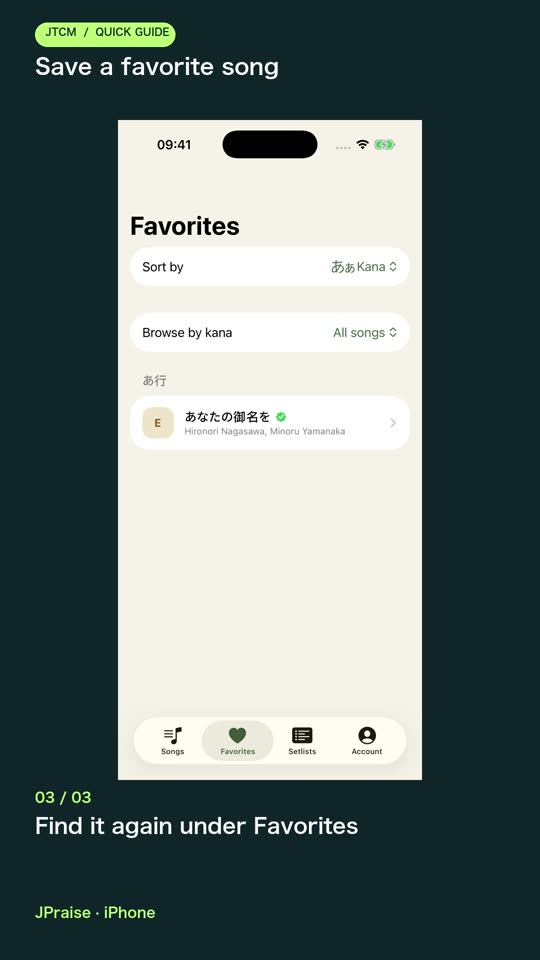
Show or hide chords, furigana, romaji and English translations where available. Adjust lyric size and keep favorites close at hand.
Browse the wider song catalogue, see which charts have been checked, and follow available recording links. Share a song with a website link.
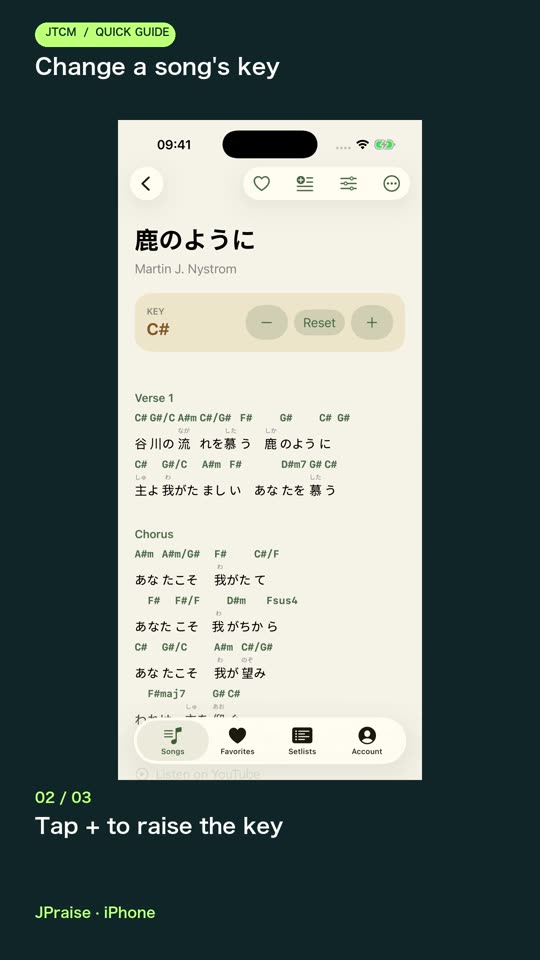
Move every chord up or down by a semitone, including slash chords. Reset to the original key, or use number chords to see the progression by scale degree.
Choose comfortable guitar shapes and see the required capo fret. Tap a chord for fingerings in standard tuning or seven alternative tunings.
Set 30–240 BPM, tap a tempo, and choose 2/4, 3/4, 4/4 or 6/8. The first beat is accented, and each song remembers its tempo and meter.
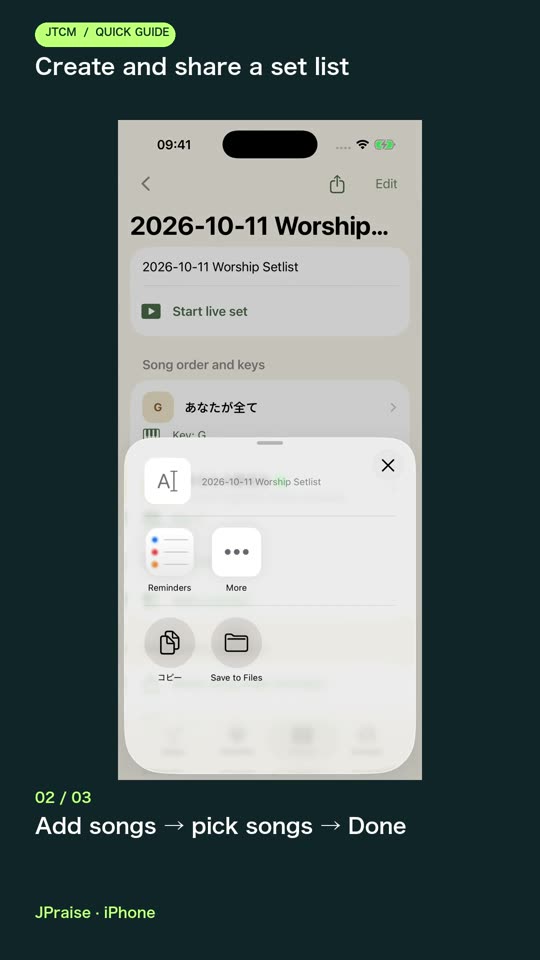
Create, rename, pin and reorder lists. Add songs, save their keys, and arrange sections such as worship, offering and closing.
Sign in with Apple, Google or email to use your jpraise.org setlists. Local lists move into your account after sign-in; edits save automatically and pending offline edits are kept for retry.
Copy or share titles, order, keys and song links. Share an account set by link; recipients can open it without signing in, while the owner controls the master list.
Keep the screen awake, move between songs with large controls, or jump through the running order. Preview the next song’s key and capo before you turn the page.
Choose a scrolling speed for long charts. Manual scrolling and song changes pause it; the app never advances to the next song by itself.
Report a lyric or chord issue, suggest a better chord position, request a missing song, or sign in to submit a chart file. Suggestions go for review rather than changing a shared chart immediately.
Short English tutorials walk through real tasks on the current public app. English captions are included.
Beyond this release
No additional iOS features have been announced yet. Have something that would help your worship team? Tell us what you need.
Feature status checked October 6, 2026.
Suggest a feature →Connect to load the song catalogue each time you launch the app. A loaded live set keeps working if the connection drops, but charts are not stored for a later launch. Sync and shared links need internet.
Browse songs, keep favorites and prepare local setlists without one. Sign in for account setlists, synchronization and chart-file submissions.
Free on iPhone and iPad. Requires iOS / iPadOS 17+.
Download on the App Store ↗